

git
Orion is a free, MIT-licensed, AI-first CRM you can run on your own terms. Clone it, start it with one command, and shape the objects, fields and workflows around your own process. No licence key, no seat count, no vendor gatekeeping every change. Run it self-hosted, in a private cloud, or as a DEHA-managed deployment; control access down to the field level, and bring your own AI keys, with a built-in MCP server for compatible AI clients. Customer records, sales activity and connected communication sit in one configurable workspace, where AI prepares the next action and your team decides what gets applied.
The repository is available under the MIT licence: full source code, a self-hosting guide, and a sample workspace, with the git history from the first commit. Leave your email, and we’ll send you the link that day. One email, nothing else.
git
clone
https://***/orion-crm
cd
orion-crm
docker
compose up
Repository opens on 31 October
A preview of the one-command quickstart. The clone URL goes live when the repo is made public.
The repository is not public yet. Leave your email for the repo link and quickstart on 31 October, or ask us to walk you through a running instance using sample data.
No newsletter. Just the repo link and quickstart.
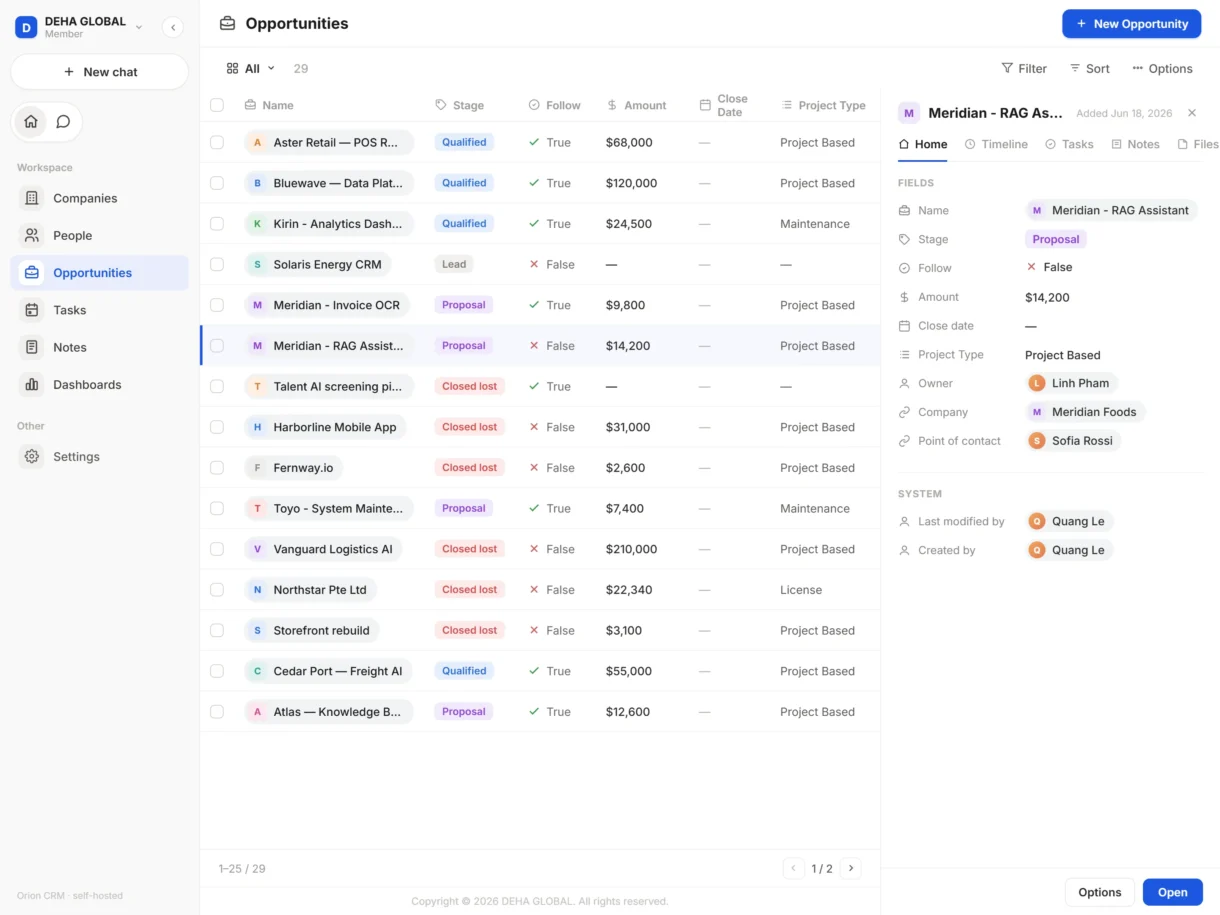
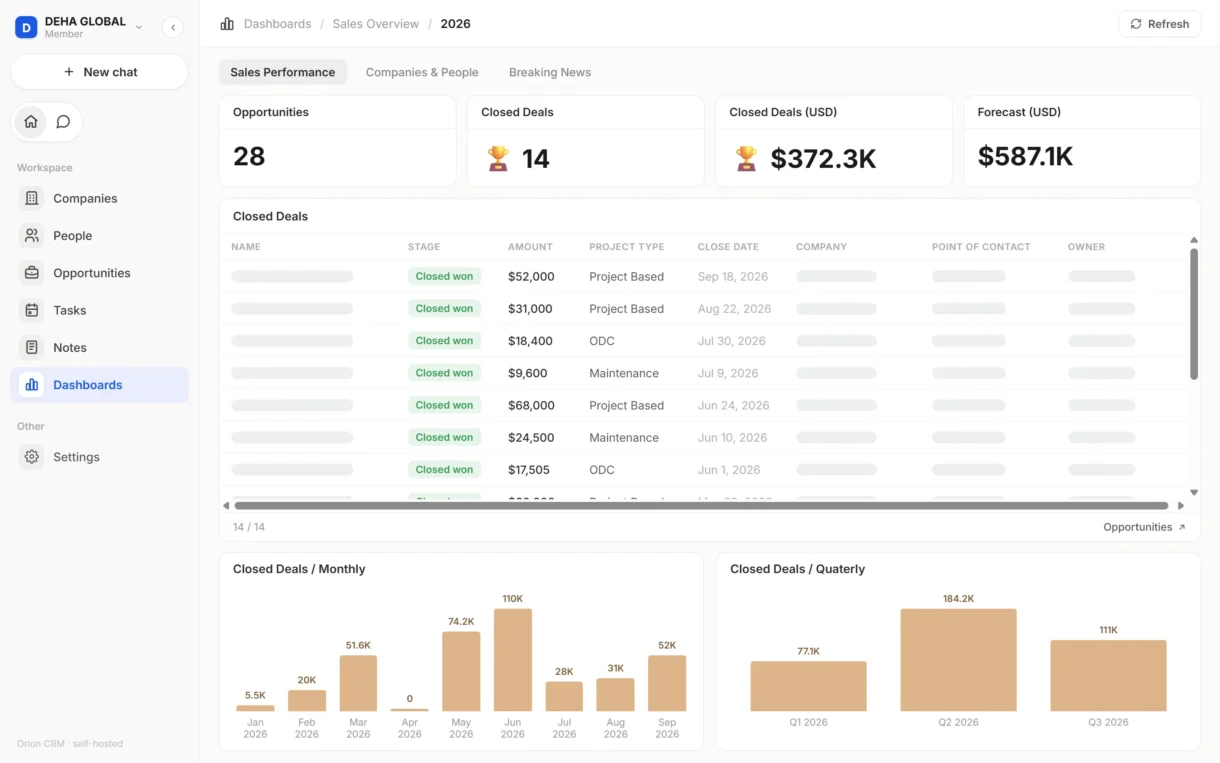
DEHA GLOBAL’s sales team uses Orion every day to manage companies, contacts, opportunities, tasks and dashboards in one live workspace.
Orion is early and open. Rather than let you find the edges after installing it, here they are.
No licence cost at any headcount. Support plans with a response-time SLA, configuration, migration and managed operation are scoped and priced separately.
See what Orion changes for the people who run the system, the teams who sell with it, and the managers responsible for the pipeline.
The rest of the product has its own sections below. You notice these two right away.
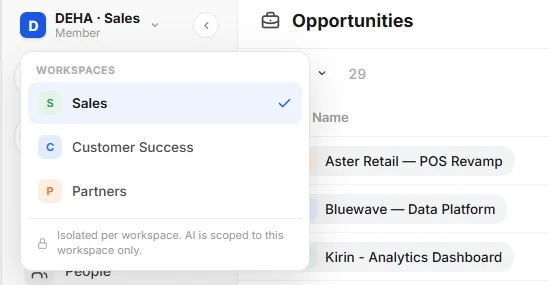
Data stays isolated per workspace, and AI only reads the workspace it is in.
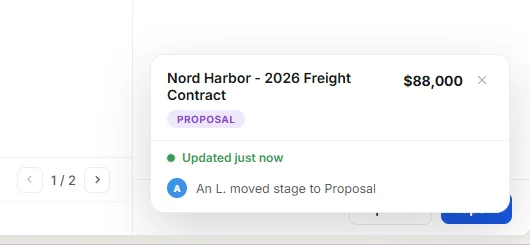
Your workspace updates instantly. No refresh needed.
Authorized teams can configure objects, fields, layouts, views and event-driven automations directly in Orion, without raising a development request for every routine change.
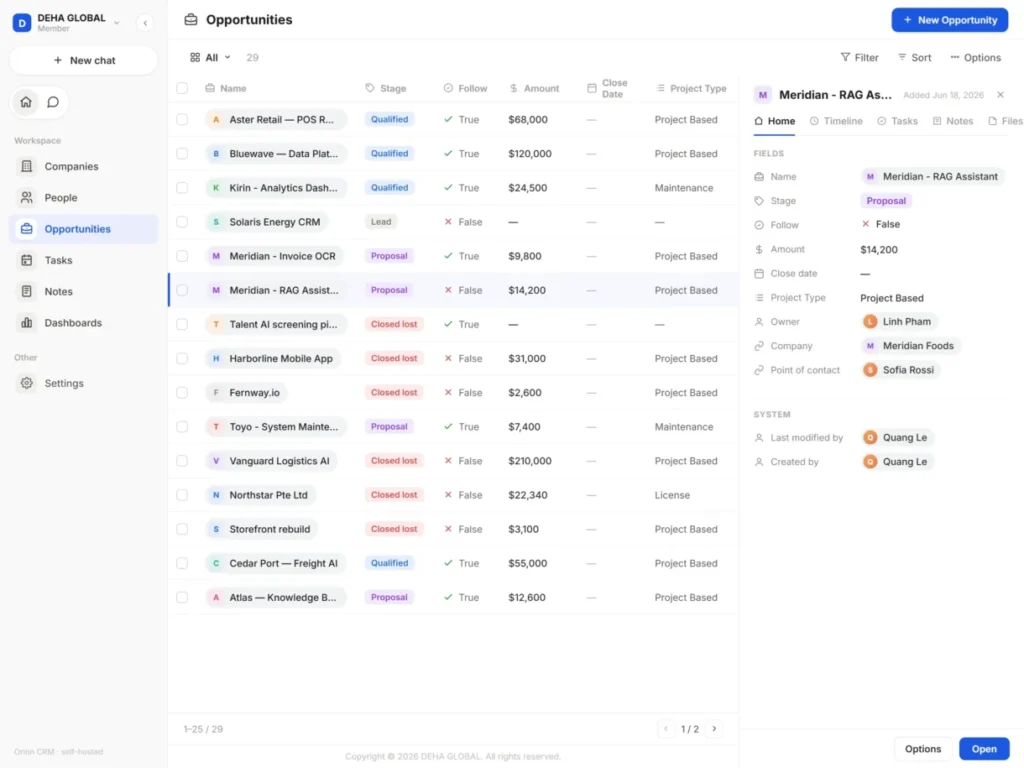
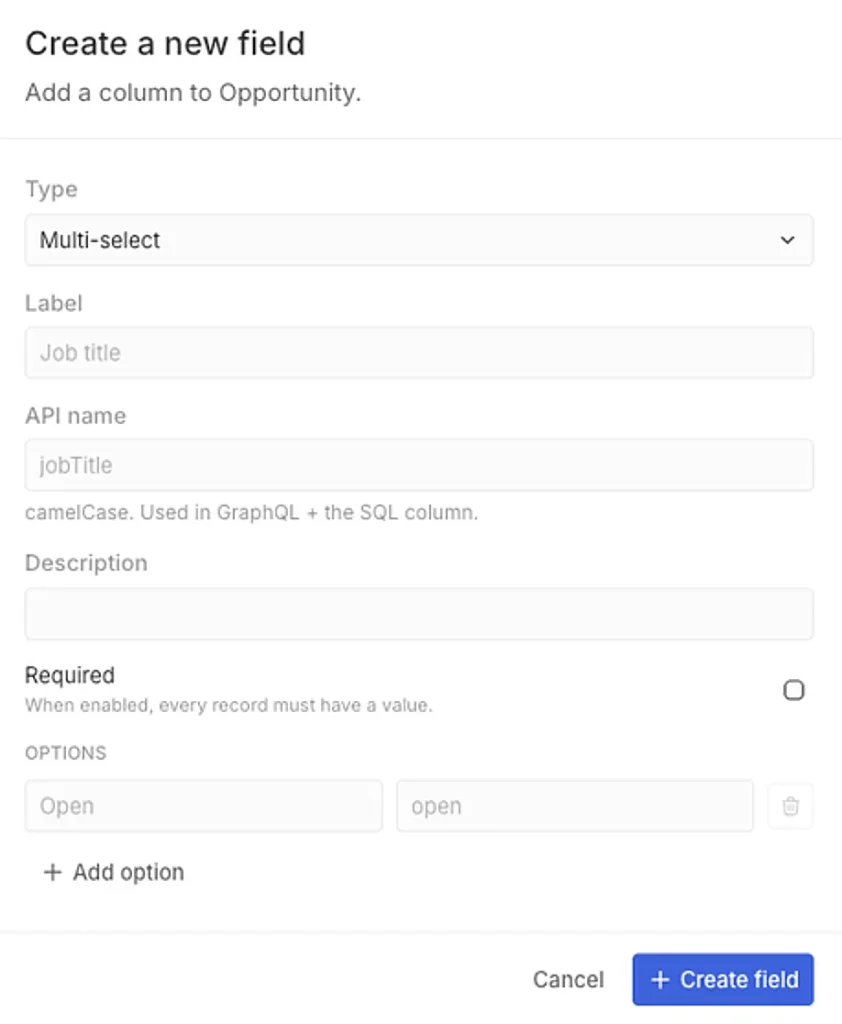
Start with Company, Contact, Opportunity, Task, Note and Attachment, then add custom objects and fields. Orion supports multiple field types, including text, number, currency, date, select and relationships.
Switch the same records between table, kanban and calendar views. Save and share filters, or describe the filter you need in natural language.
Trigger field updates or call external systems when record data changes, without turning every process adjustment into a development project.
Import records from CSV or Excel, export to CSV, and restore soft-deleted records.
Six interface languages and desktop apps for Windows, macOS and Linux, alongside browser access.
Ask in plain language and get answers from your actual records, always current and grounded in your data. Agents can enrich, classify, summarize and score inside your workflows. The same roles and object-level read and write permissions govern every AI action, so Orion only touches the data it is allowed to.
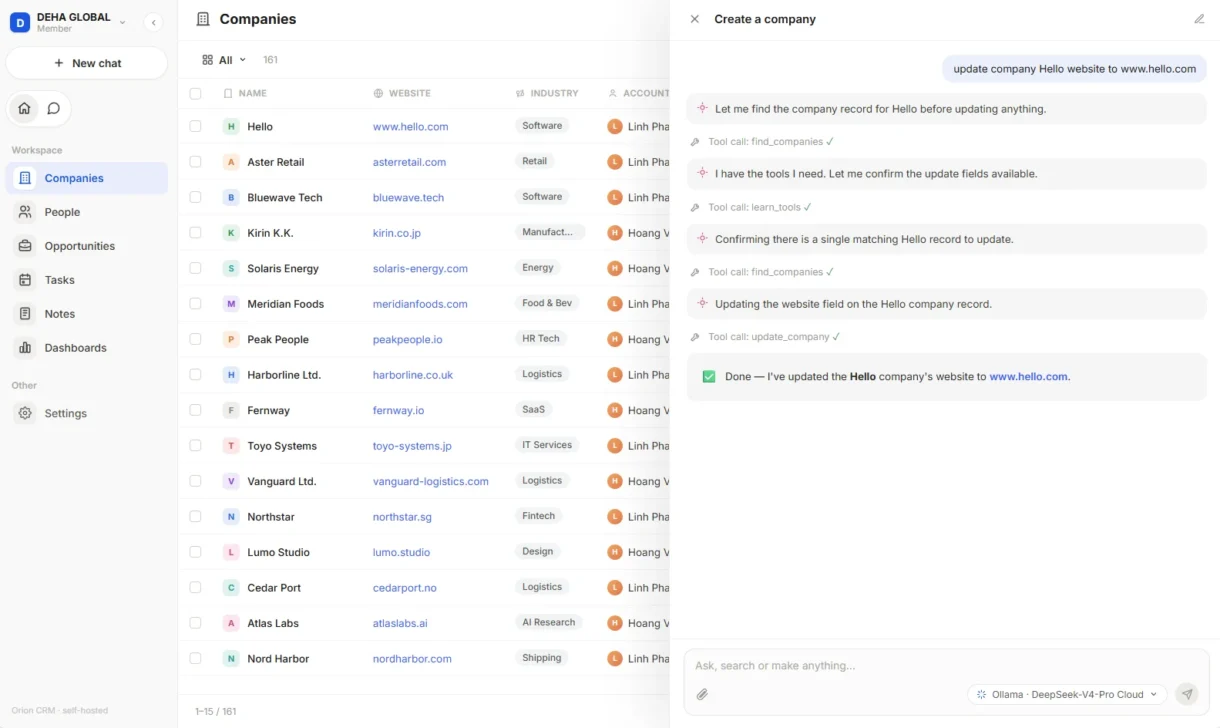
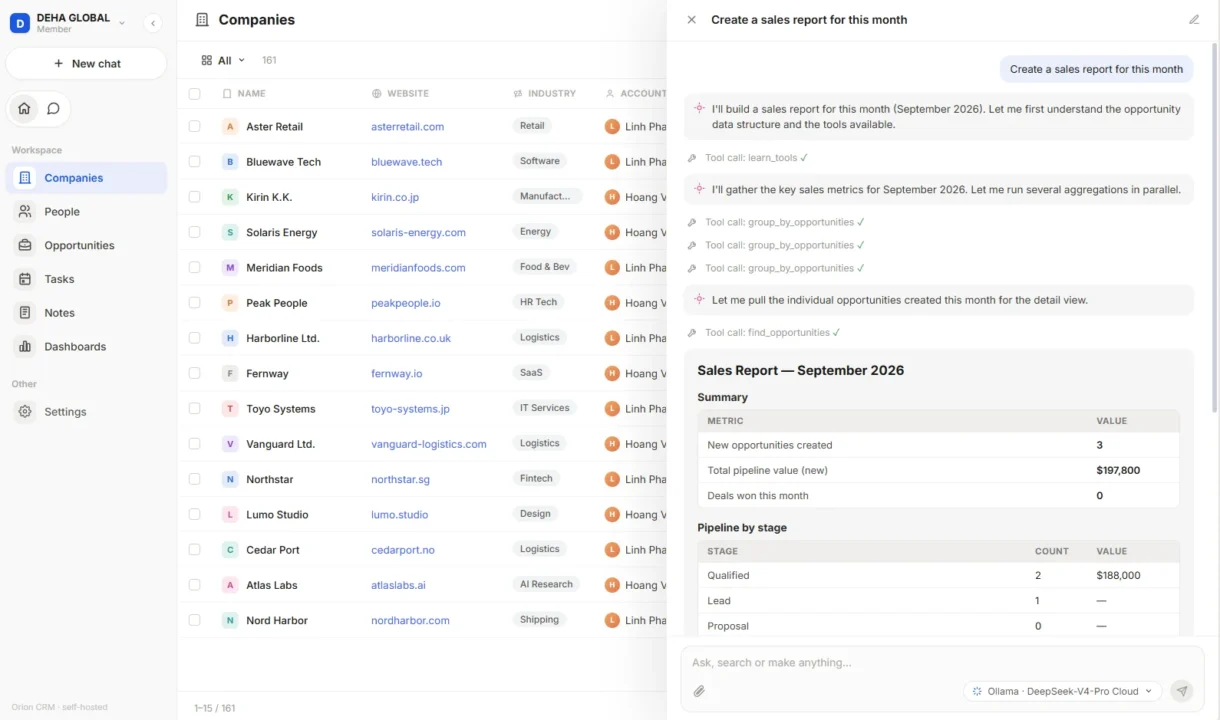
Fill company and contact data from public sources.
Categorize and route inbound leads.
Turn meeting notes into structured records and follow-ups.
Rank opportunities using engagement signals.
Every agent operates within configured roles and object-level read and write permissions.
Emails and meetings attach to the right record automatically.
Connect Orion to ERP and other internal systems through REST and GraphQL APIs and webhooks.
Connect major providers with your own API keys, or run compatible self-hosted models.
Connect MCP-compatible AI clients to permitted Orion CRM data and actions.
On-premises, open-source. You run and control the whole stack.
A dedicated private-cloud environment, isolated to your organisation.
We host and operate it for you under a service engagement.
Object- and field-level role permissions; SSO through OIDC/SAML; Google/Microsoft login and 2FA; workspace isolation.
You choose which providers are permitted and connect them with your own API keys, or run models inside your network so CRM prompts and data remain within your environment. What a provider does with the prompts it receives is governed by your agreement with that provider, not by DEHA.
You or DEHA, depending on the deployment model.
Read and write actions on records are logged. Logging of AI interactions and MCP tool calls is on the roadmap, not in the current release.
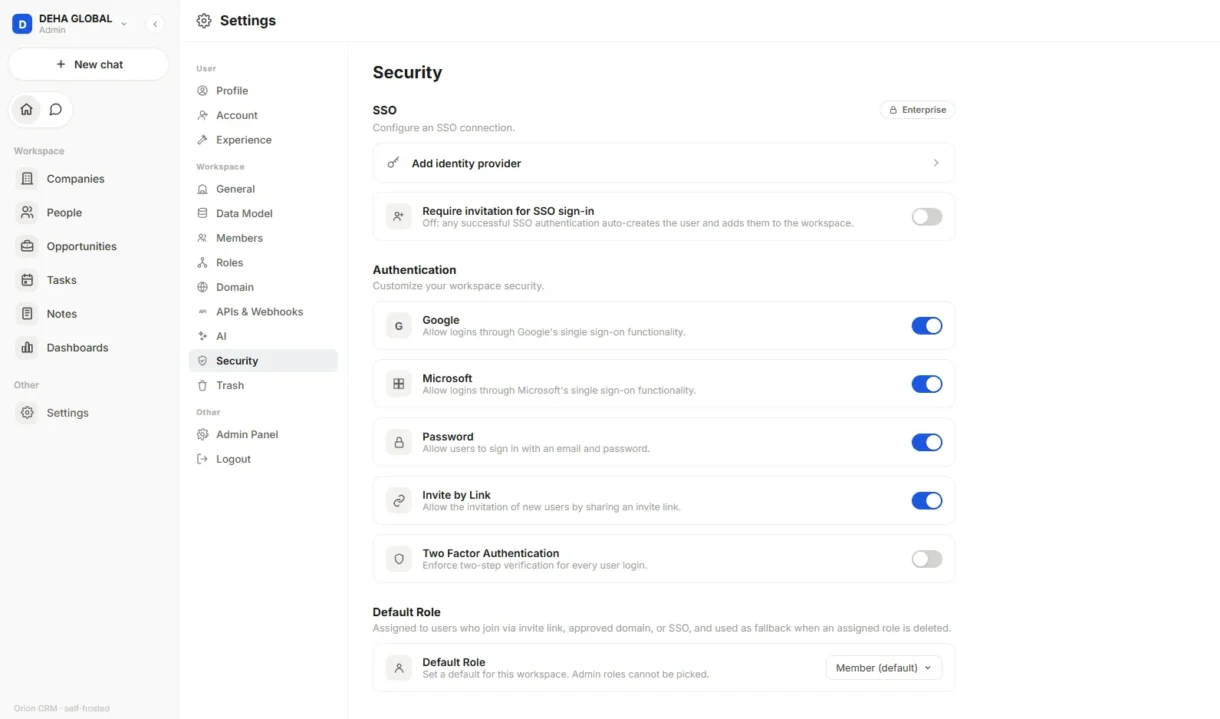
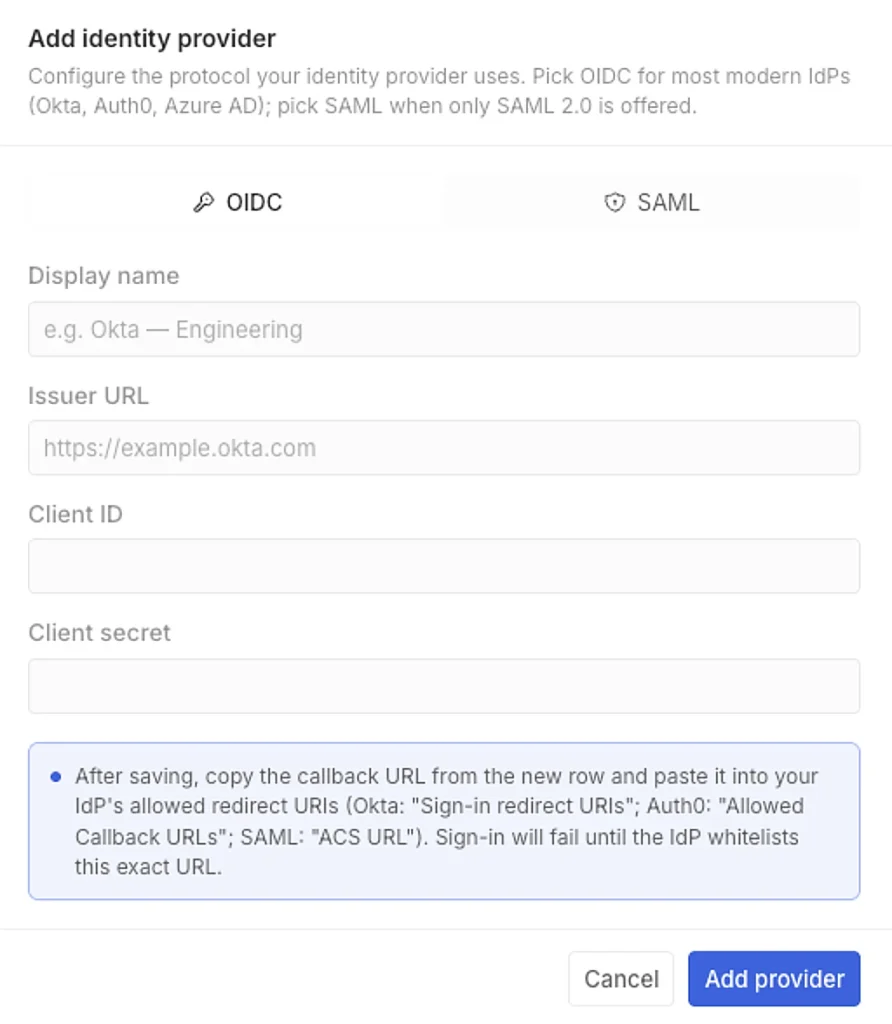
Orion does not use your CRM data to train models. You choose which external providers are permitted and connect them with your own API keys. Self-hosted models can keep CRM prompts and data within your network. Who runs each layer, you or DEHA, depends on the deployment model.
From 31 October: clone the repository, start it locally, and load the sample workspace. Nothing to request, no data to share, no conversation required. Until then, leave your email and we send the link that day.
Tell us one priority workflow. We tailor a walkthrough on sanitized sample data, then review configuration, integration and deployment with you. No real data required to start.
Installing Orion takes minutes. Running it is ongoing work: upgrades, backups and patching sit with whoever operates it, you or us. A full rollout with data loading, integrations, and training depends on scope, and we scope it with you before we quote.
Two groups. Engineering-minded teams who want a CRM they can read, self-host and extend under a permissive licence. And sales teams starting fresh or moving off spreadsheets whose processes don’t fit a packaged CRM.
Yes, start from standard objects and adapt objects, fields and views to your process.
The assistant works with current CRM data within the user’s permissions. It can answer, draft, create or update CRM records within those same access rules.
Orion is released under the MIT licence. You can self-host it free of charge, modify it, and use it commercially, with no obligation to publish your changes and no per-user fee. Private-cloud and DEHA-managed deployments, and any configuration or migration work, are scoped and priced separately; the software licence itself stays free.
Orion is not how DEHA earns. It is the CRM we built for our own sales team and released so others can use it. DEHA’s business is Oridex and Oriene AI. If you later want configuration work, a support plan or someone to operate Orion for you, those are priced engagements, but most teams will run it without paying us anything, and that is the intent.
Orion runs independently; it does not require Oridex or any other DEHA product, and has its own AI engine. Its users, integrations and AI actions are governed by Orion’s role, object and field-level permissions.
Partly, and we would rather say so plainly. Orion imports records from CSV and Excel, companies, contacts, opportunities and custom objects. It does not yet carry over email threads, call logs, stage-change history or attachments, and there is no automated connector to HubSpot, Salesforce or Zoho. If that history is what holds your pipeline together, Orion is not the right move for you today.
No, and none is planned. Orion runs in the browser and as a desktop app on Windows, macOS and Linux. Teams whose reps work primarily from a phone should not adopt it on the expectation that mobile is coming.
The open-source release comes as is, community issues, no service commitment. A paid support plan carries a committed response time, and can be bought on its own without moving your deployment to us. Configuration, migration and managed operation are separate engagements.
From 30 September, run it yourself on the sample workspace, nothing is shared with anyone. Before then, we walk you through a running instance on sanitized sample data. No real data is required either way.
From 31 October, Orion is yours to clone, read and run on your own infrastructure: free, MIT-licensed, no sales conversation required. Configuration, a support plan with a response-time SLA, or someone to operate it are there if you want them, and only then. The PDF overview covers capabilities, deployment and security detail, integrations and AI-provider coverage, licensing and rollout, a leave-behind to share internally.